A QR code menu that is always right: right price, right dish, right allergens
The guest scans the QR code and the menu opens with photos, set menus and the allergens of every dish. A change made in the back office shows up within seconds, with nothing to reprint.
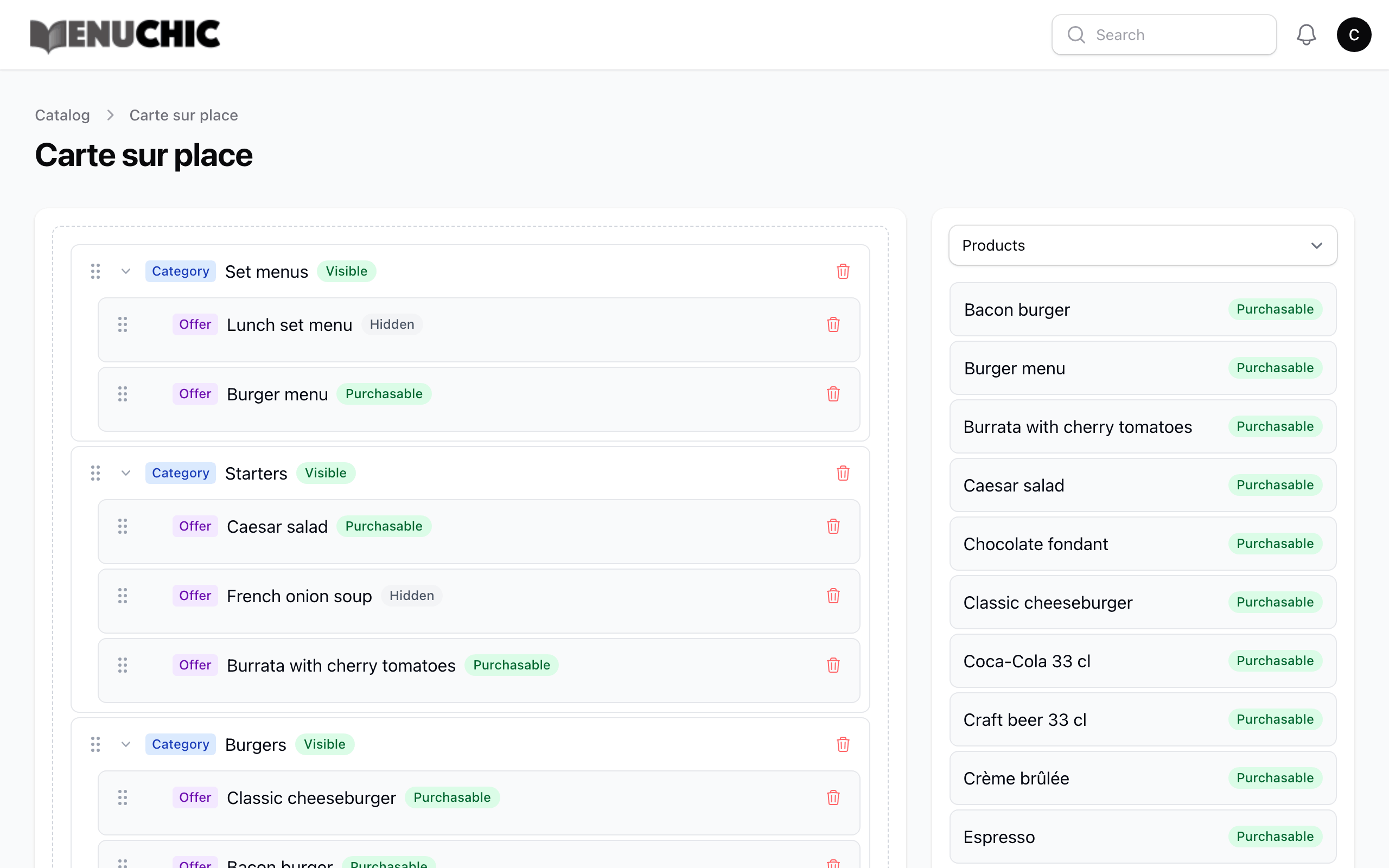
Digital menu & QR code, in practice
Always up to date
A price, a dish or a photo changed in the back office appears on the menu right away.
Set menus and options
Starter-main-dessert, cooking preferences, extras, choice of sides: guests see the set menu just as in the dining room.
Sold out in one tap
Make a dish unavailable for the service. With stock tracking, it switches to “sold out” on its own and guests can ask to be told when it’s back.
Set up in 3 steps
- Enter your dishes, set menus and options
- Print your QR codes (one per table if needed)
- Change prices and availability live
Which plan?
| Starter | Pro | 360 |
|---|---|---|
| Included | Included | Included |
Your questions
Is the QR code menu really free?
Yes. The Starter plan includes the digital menu, the QR code and allergen display, with no time limit.
Can I have different prices for dine-in and takeaway?
Yes, from the Pro plan: each dish can have a dine-in price and a price for remote sales (takeaway, delivery), and each menu its own selection of dishes.
Does the guest need to install an app?
No. The QR code opens a web page, on any phone.